Event & Conference Platform
Conferia
An end-to-end platform for life-science conferences: CRM, online partnering platform, CMS and native mobile apps.
Client — Bionexus · Conferia Limited
Project Overview
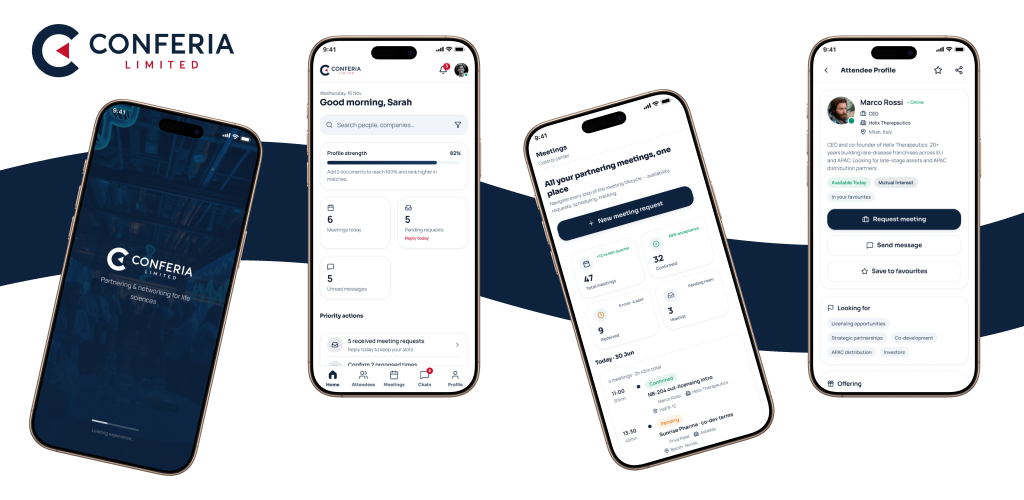
Conferia is an Integrated Digital Ecosystem built for life-science conference organisers — a centralised CRM & Event Management System, a Website Content Management Portal, an Online Partnering Platform, four conference websites and native Android/iOS apps. One operational environment for conferences, registrations, attendees, sponsors, speakers, staff, business development, one-to-one meetings, invoicing, payments, reporting and website content.
- Role
- Lead Product / UI-UX Designer
- Timeline
- 3 Weeks
- Platform
- Web App · iOS · Android
- Industry
- Life Sciences / Events
- Tools
- Figma, Design Systems, Prototyping, User Research
- Delivery
- 5 milestones · 105 days
- Platforms
- Web · Android · iOS
The Problem
Conference operations were split across spreadsheets, LinkedIn outreach, separate websites and manual invoicing, so no team saw the same participant record.
- Duplicate leads across staff accounts
- Manual, error-prone meeting scheduling and table allocation
- Website content could only be updated by developers
- Invoicing and payment follow-up handled entirely by hand
Project Goals
Unify lead-to-payment, event operations and attendee networking into one scalable, secure, mobile-friendly platform that non-technical teams can run themselves across multiple events.
- 01
Unify lead-to-payment in one operational environment
- 02
Make attendee networking and meeting booking effortless
- 03
Let non-technical teams publish website content themselves
- 04
Keep one participant record consistent across web and mobile
Research & Discovery
- Mapped the full client flow: raw database → leads → NCL → interested → registration → invoice → active/summit list → partnering
- Business development teams needed duplicate-lead detection and LinkedIn outreach tracking per staff account
- Attendees judged the event on one thing: how easily they could find the right person and lock a meeting slot
- Organisers needed the agenda internal-first and published to websites only after approval
User Flow
- Raw data
- Lead / NCL
- Interested
- Registration
- Invoice & payment
- Active list
- Partnering
- Meetings & agenda
From Wireframes to Final UI
Low-fidelity flows covered three surfaces in parallel — CRM pipeline stages, the partnering dashboard, and the mobile meeting journey — so the same participant record read consistently everywhere.
Low Fidelity
Structure first
Grey-box layouts to settle hierarchy, navigation and the order of information before any styling.
High Fidelity
Final UI
Typography, colour, components and states applied on top of the approved structure.
UI Design
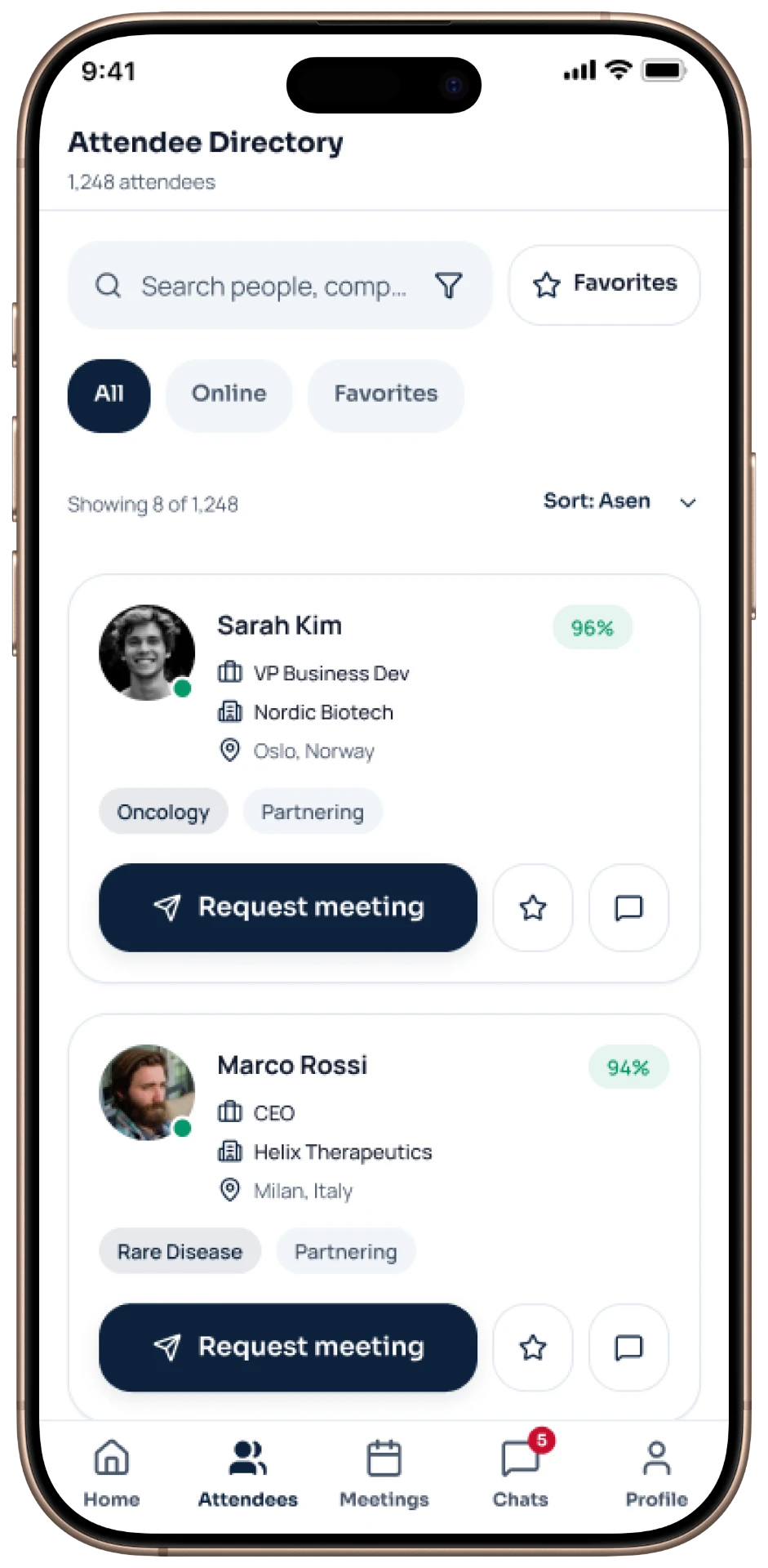
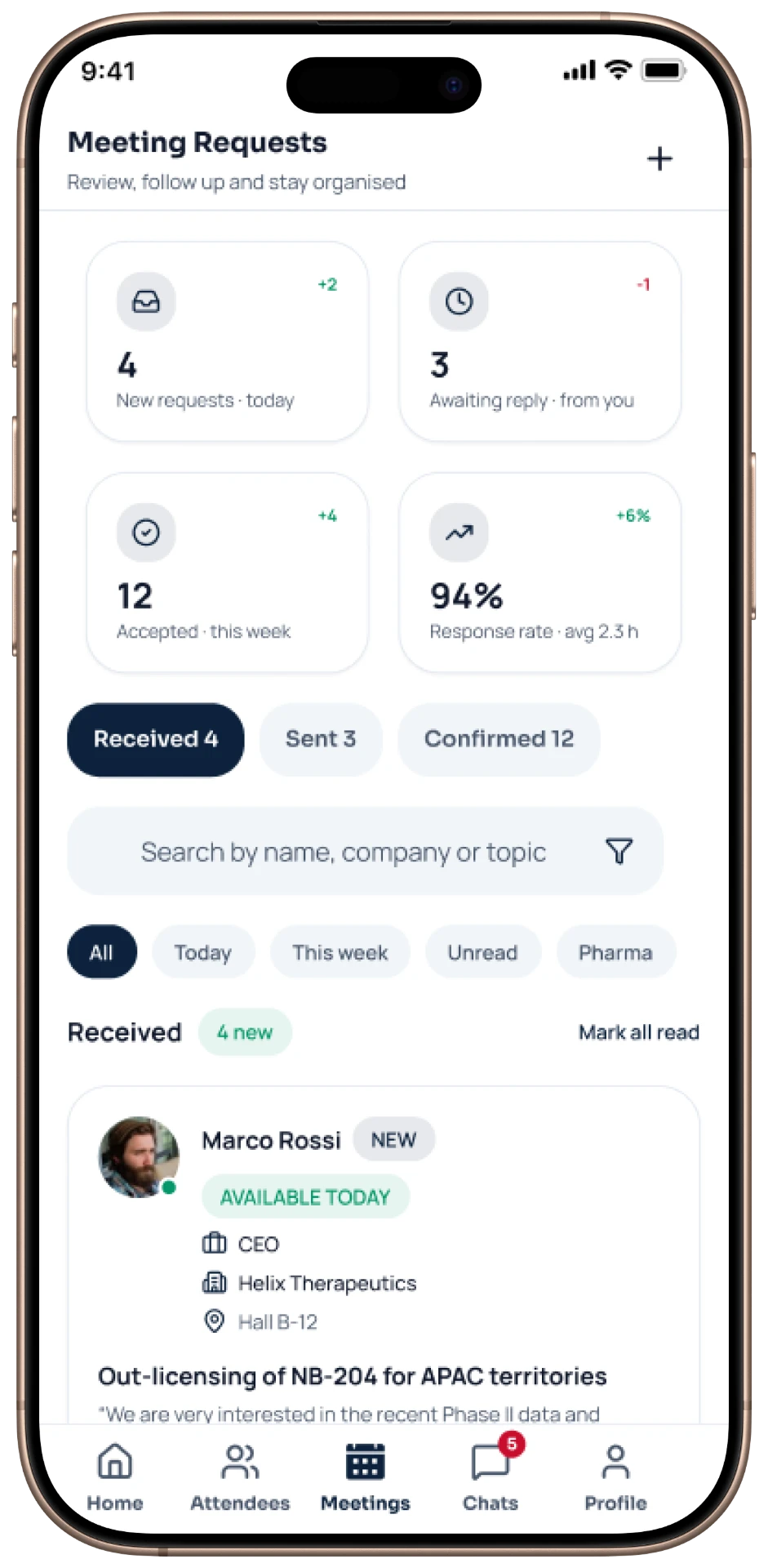
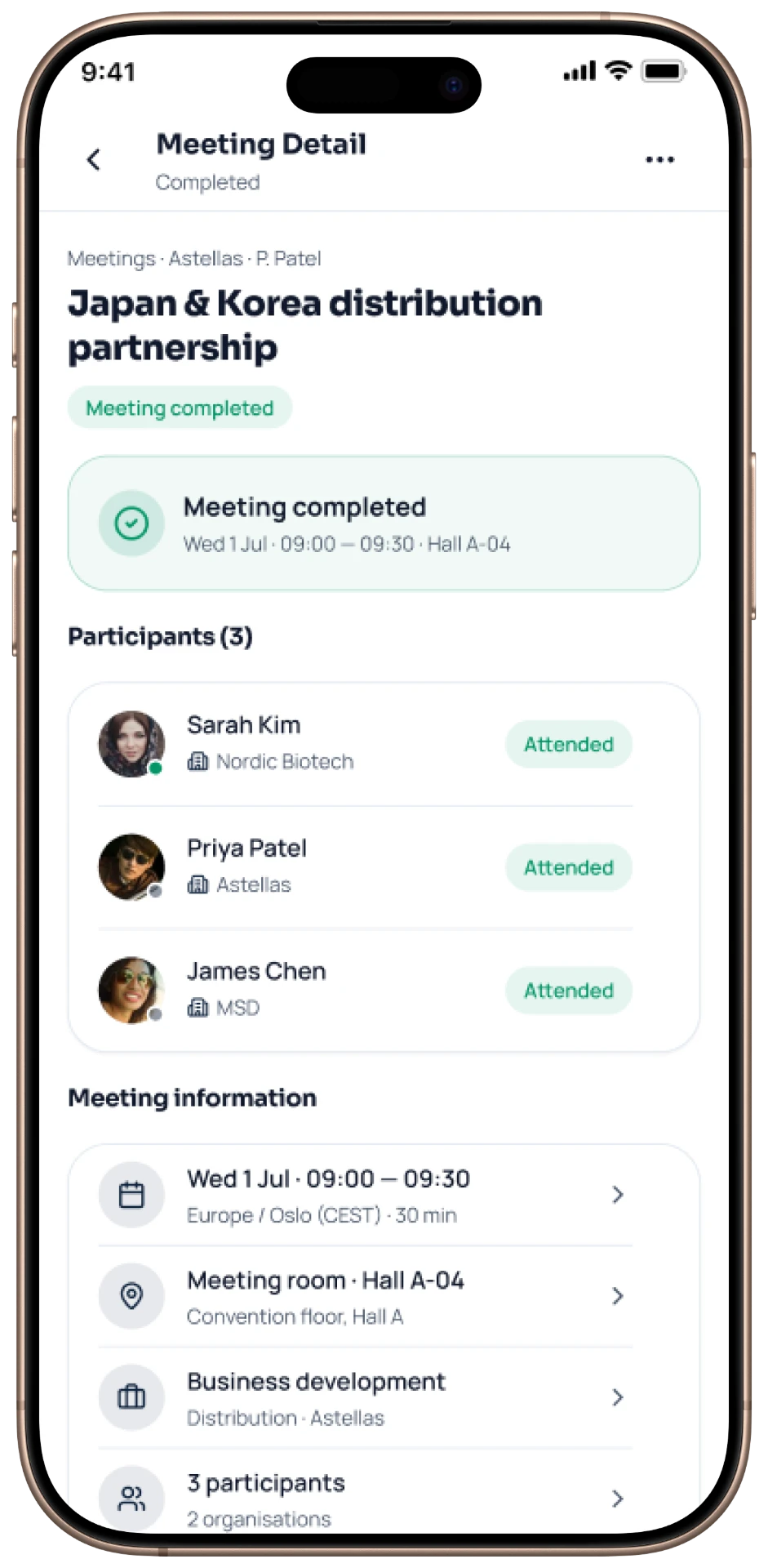
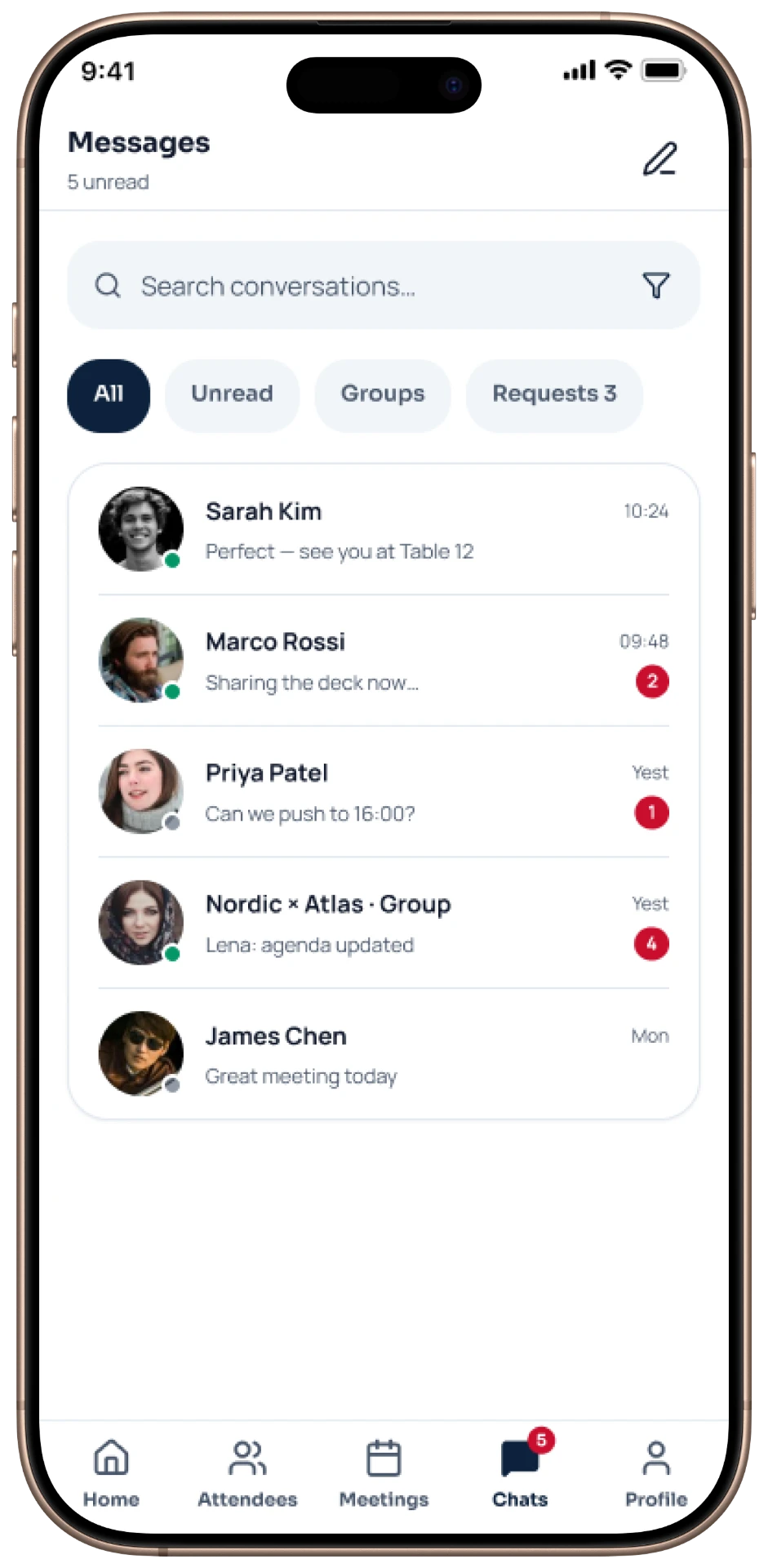
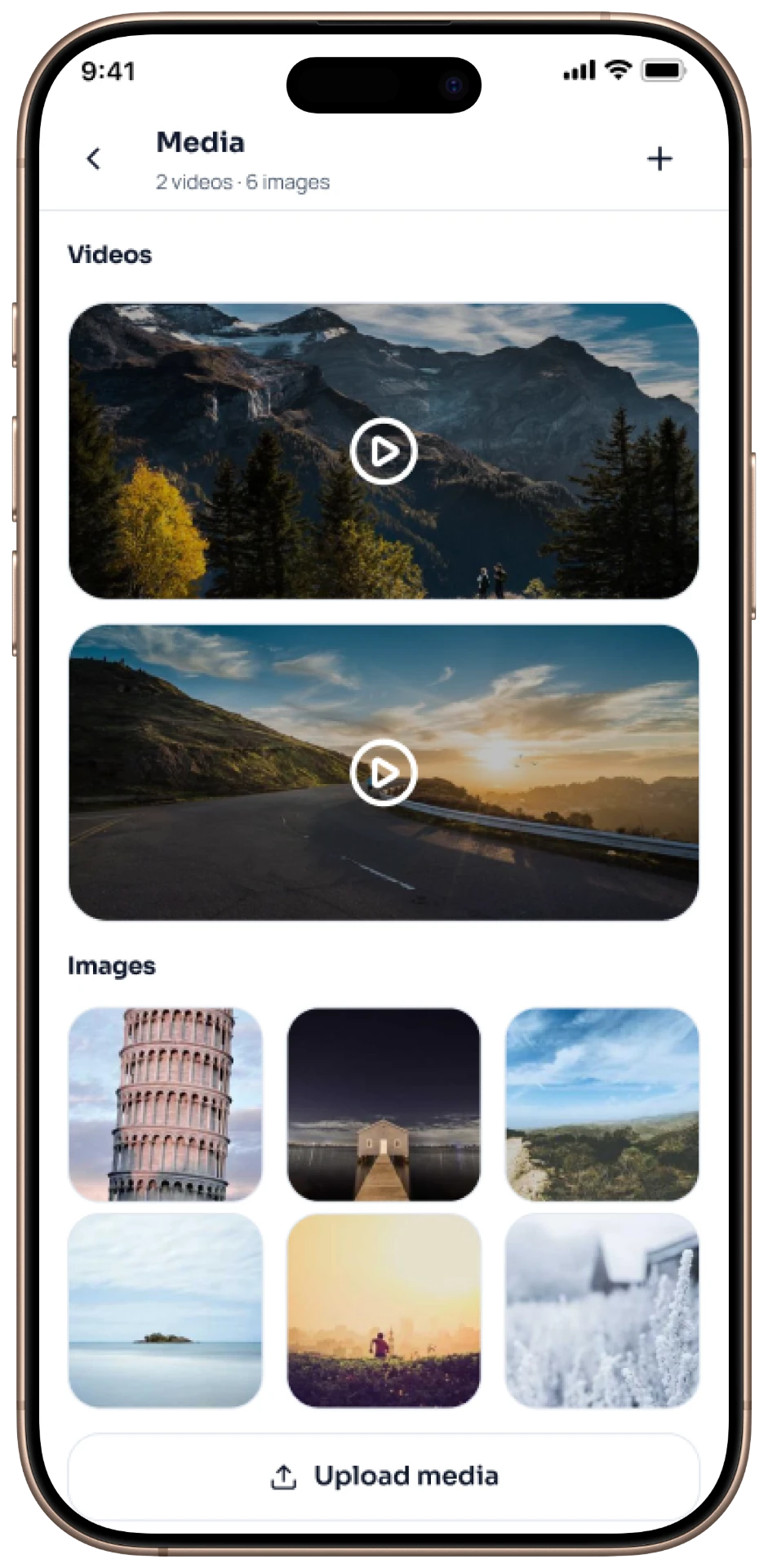
Mobile Applications
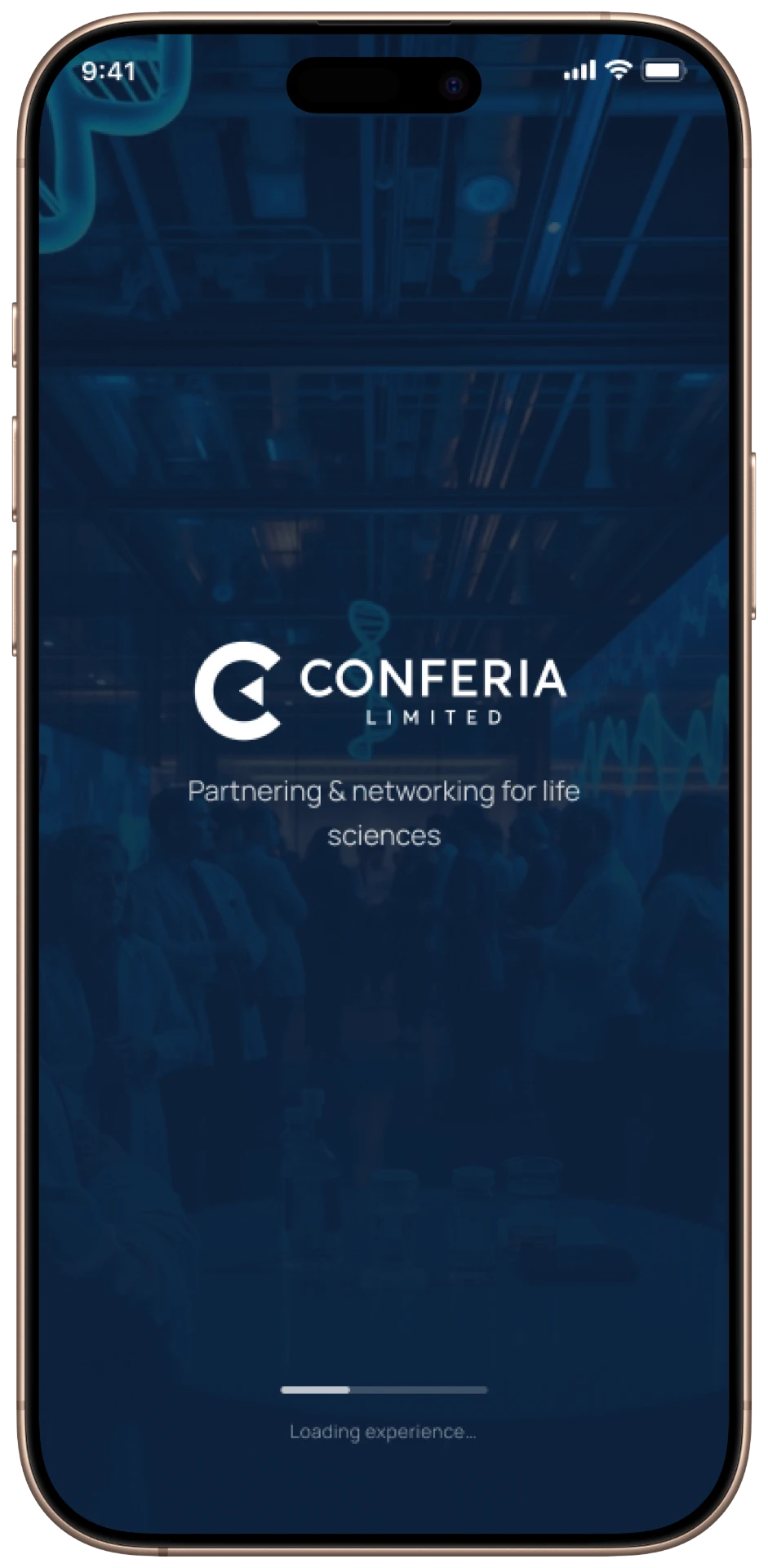
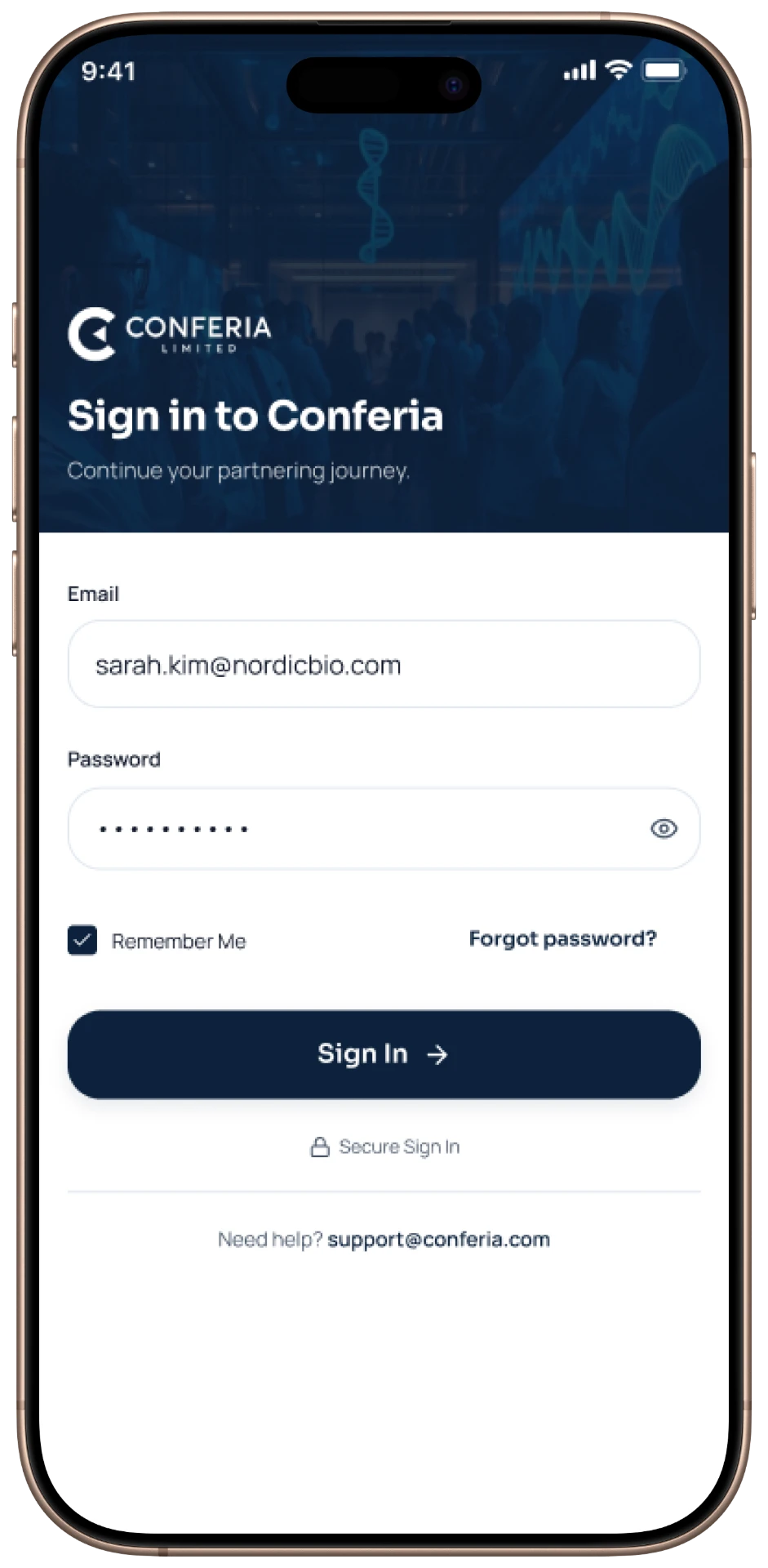
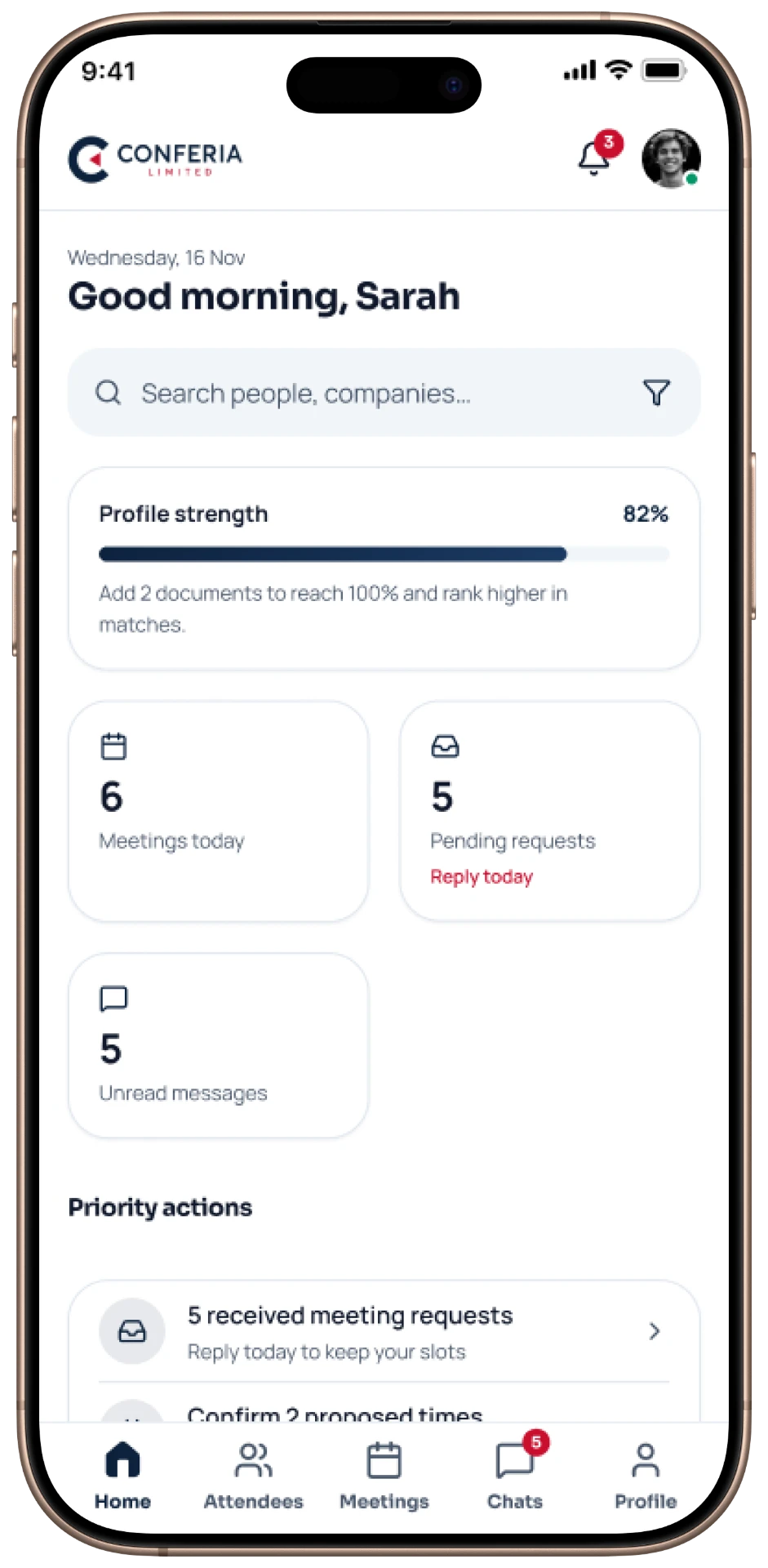
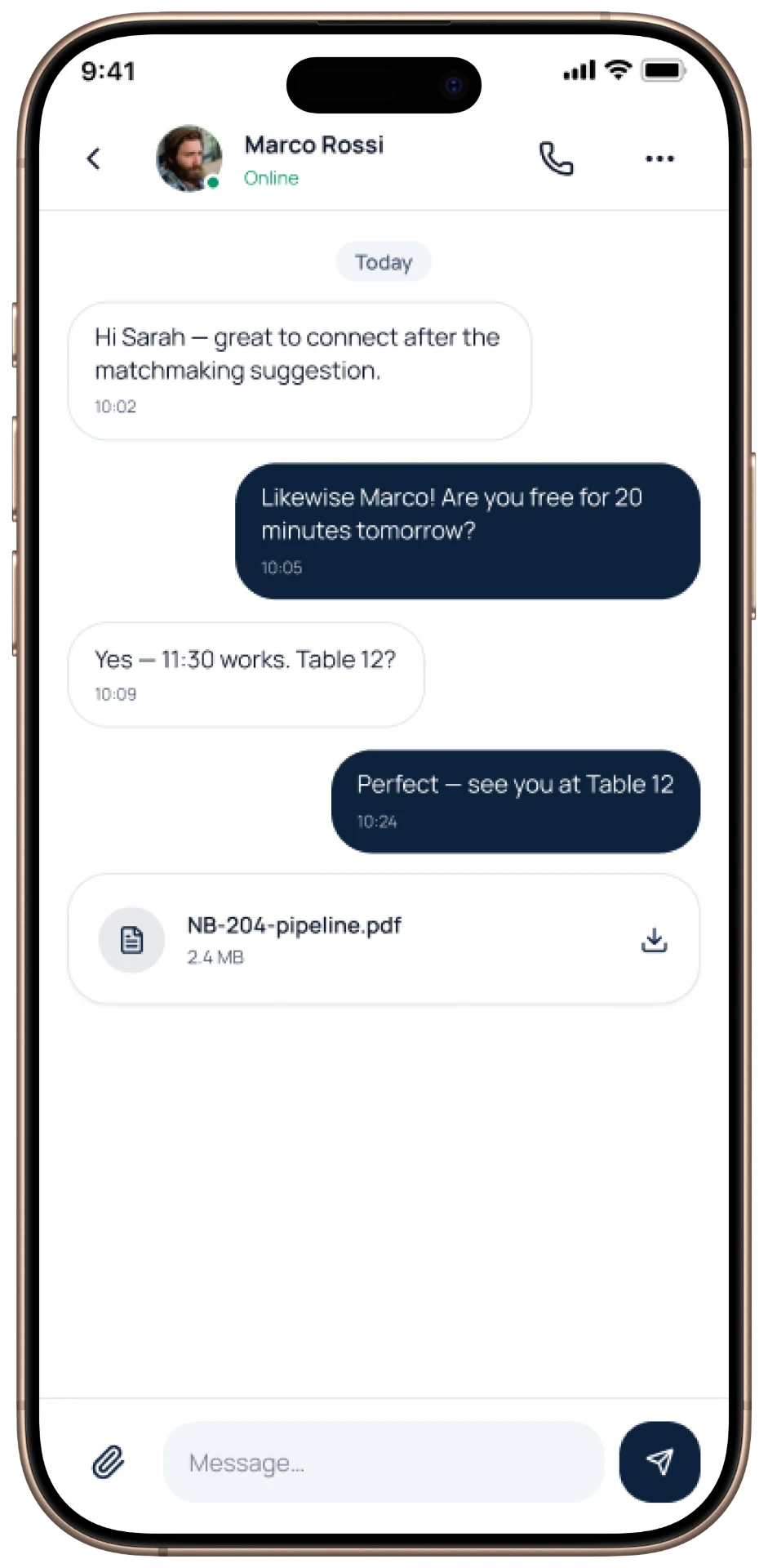
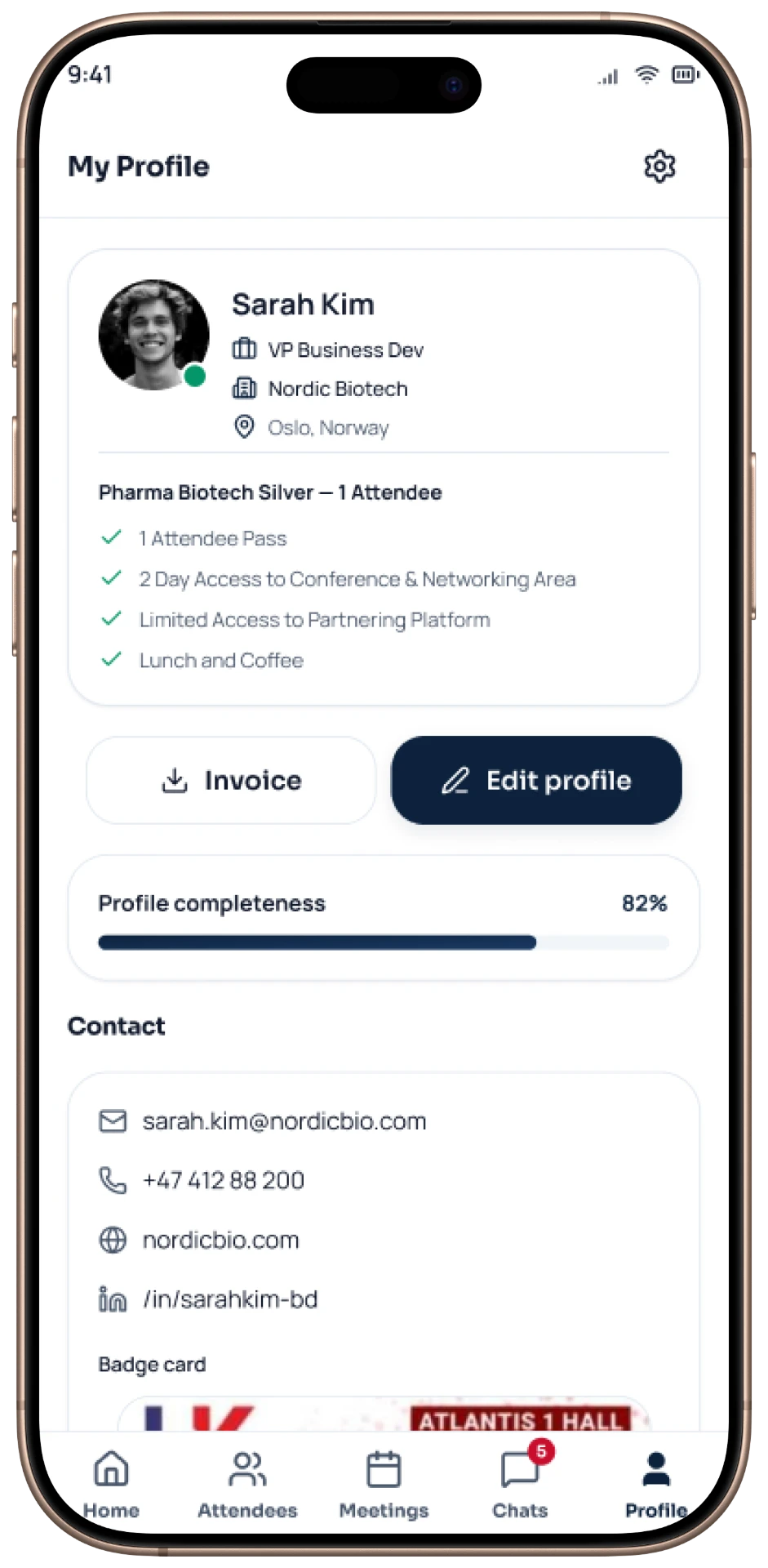
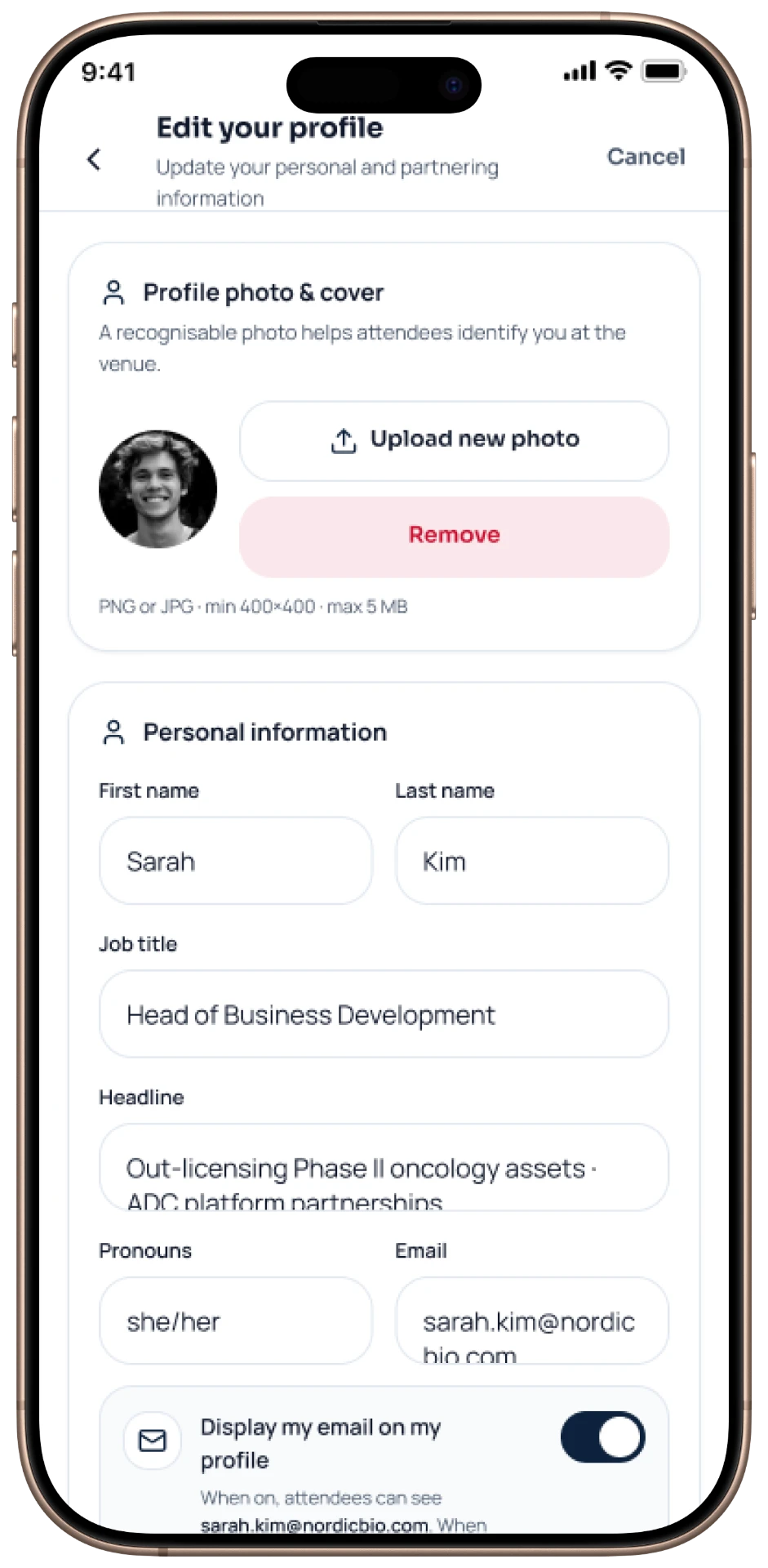
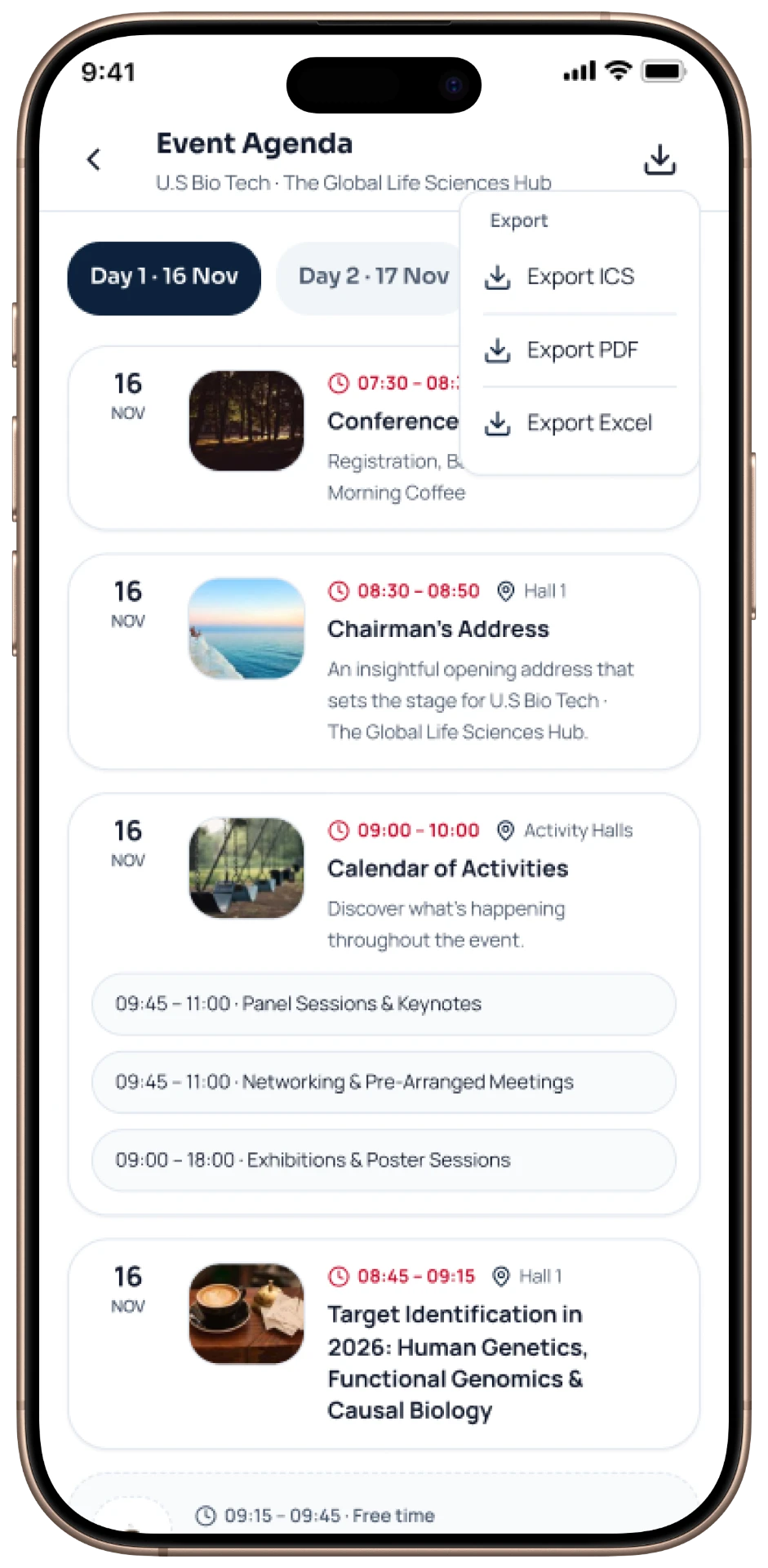
Native Android and iOS screens carrying the same experience to users on the move.
Website
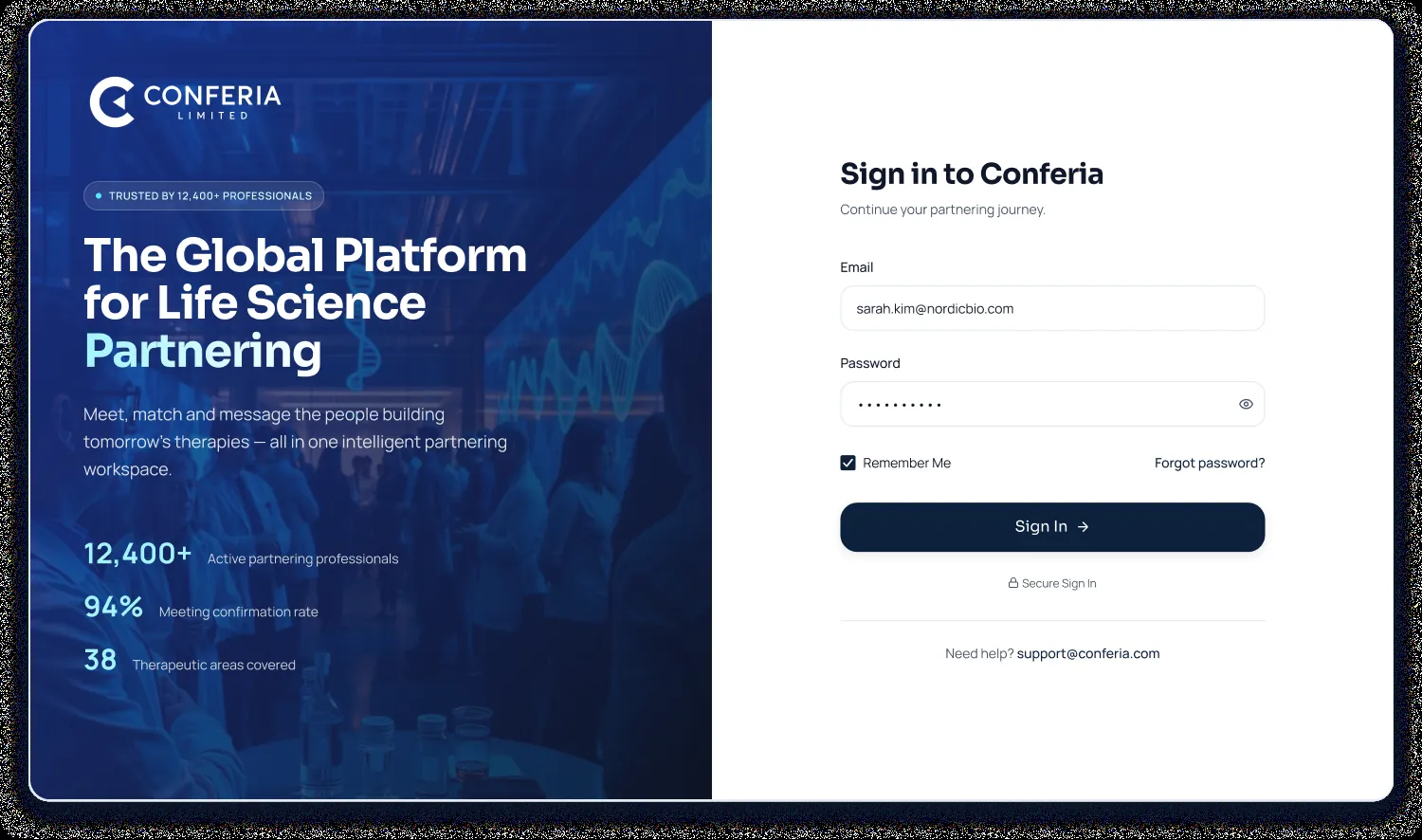
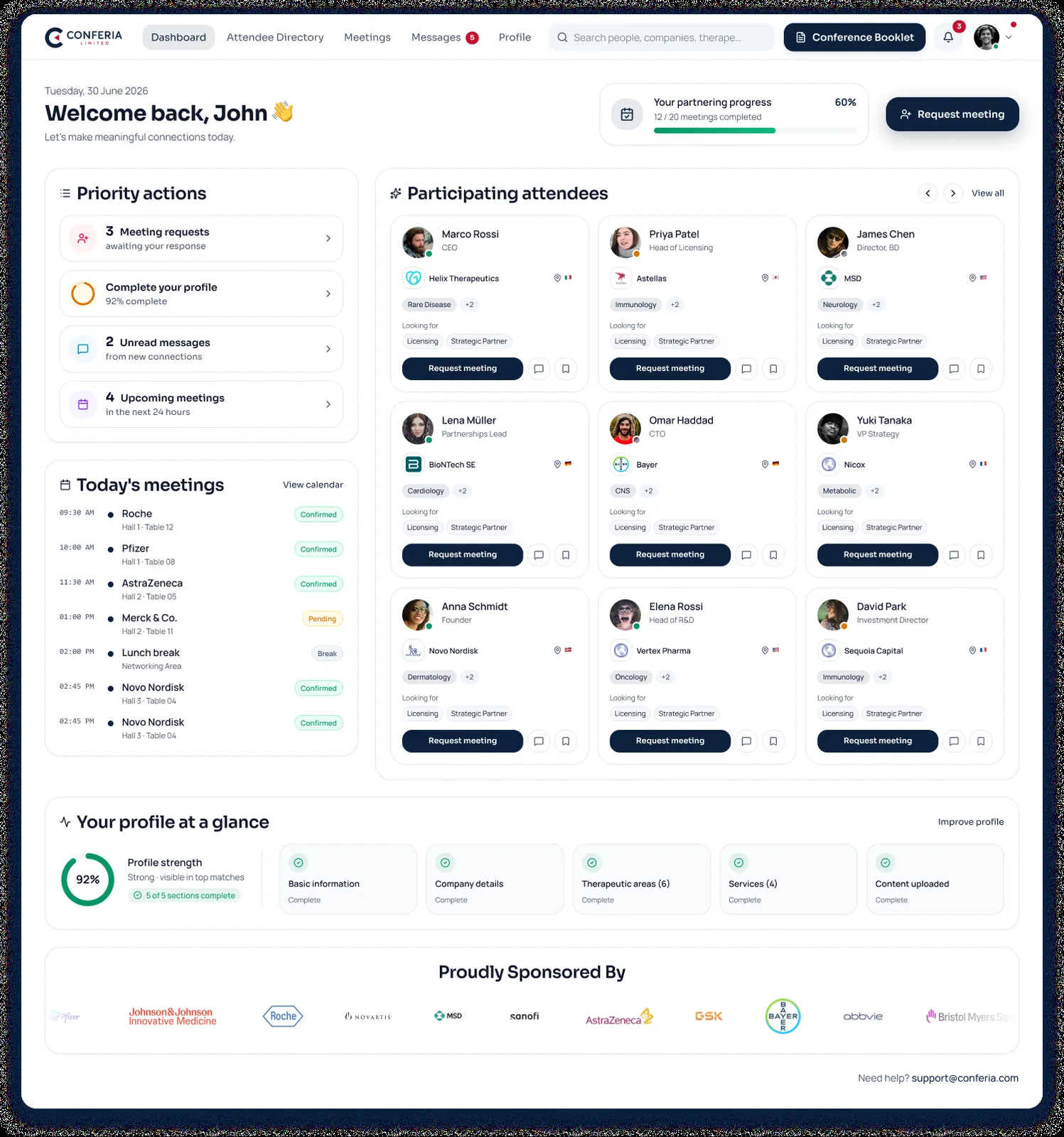
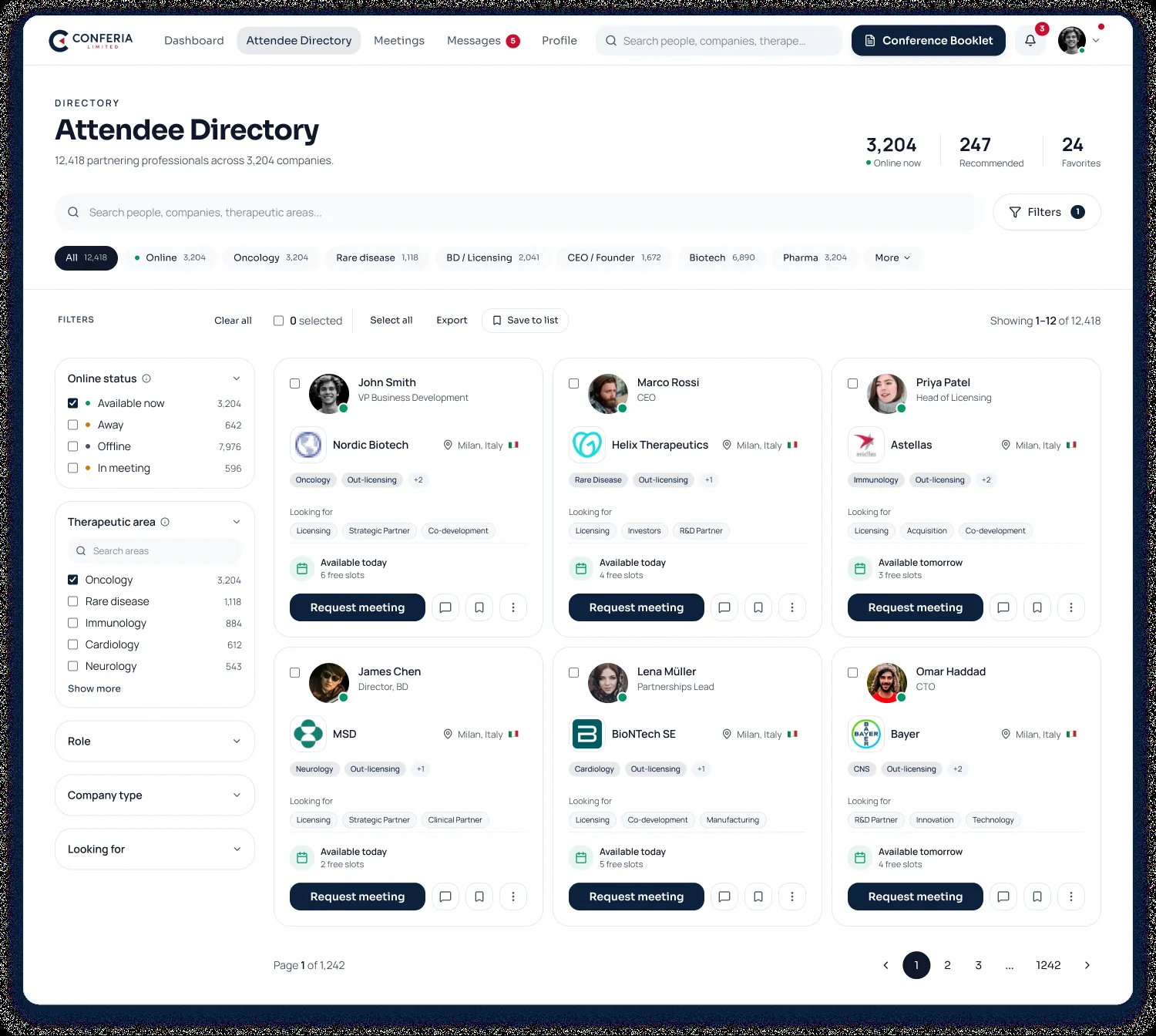
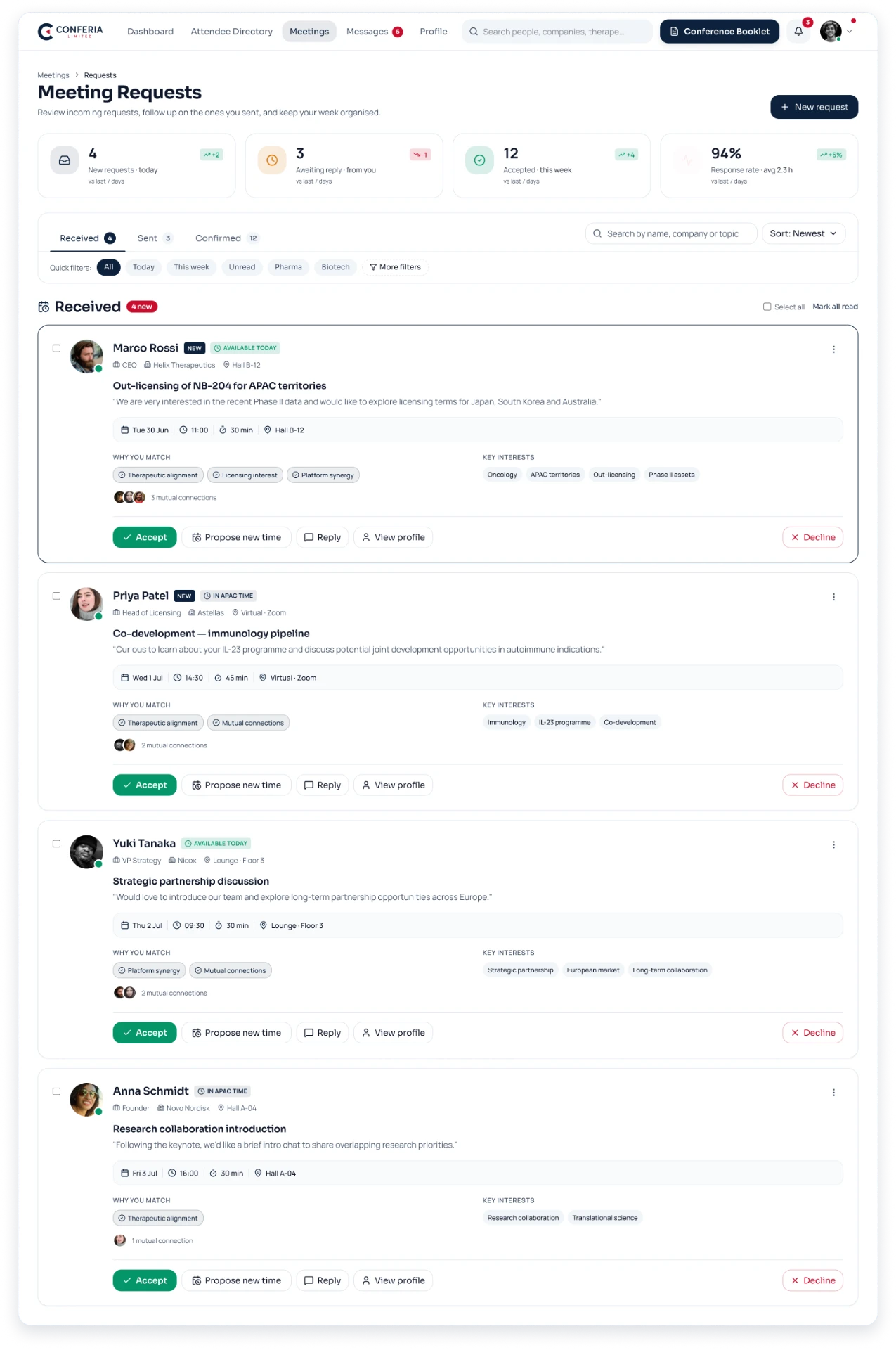
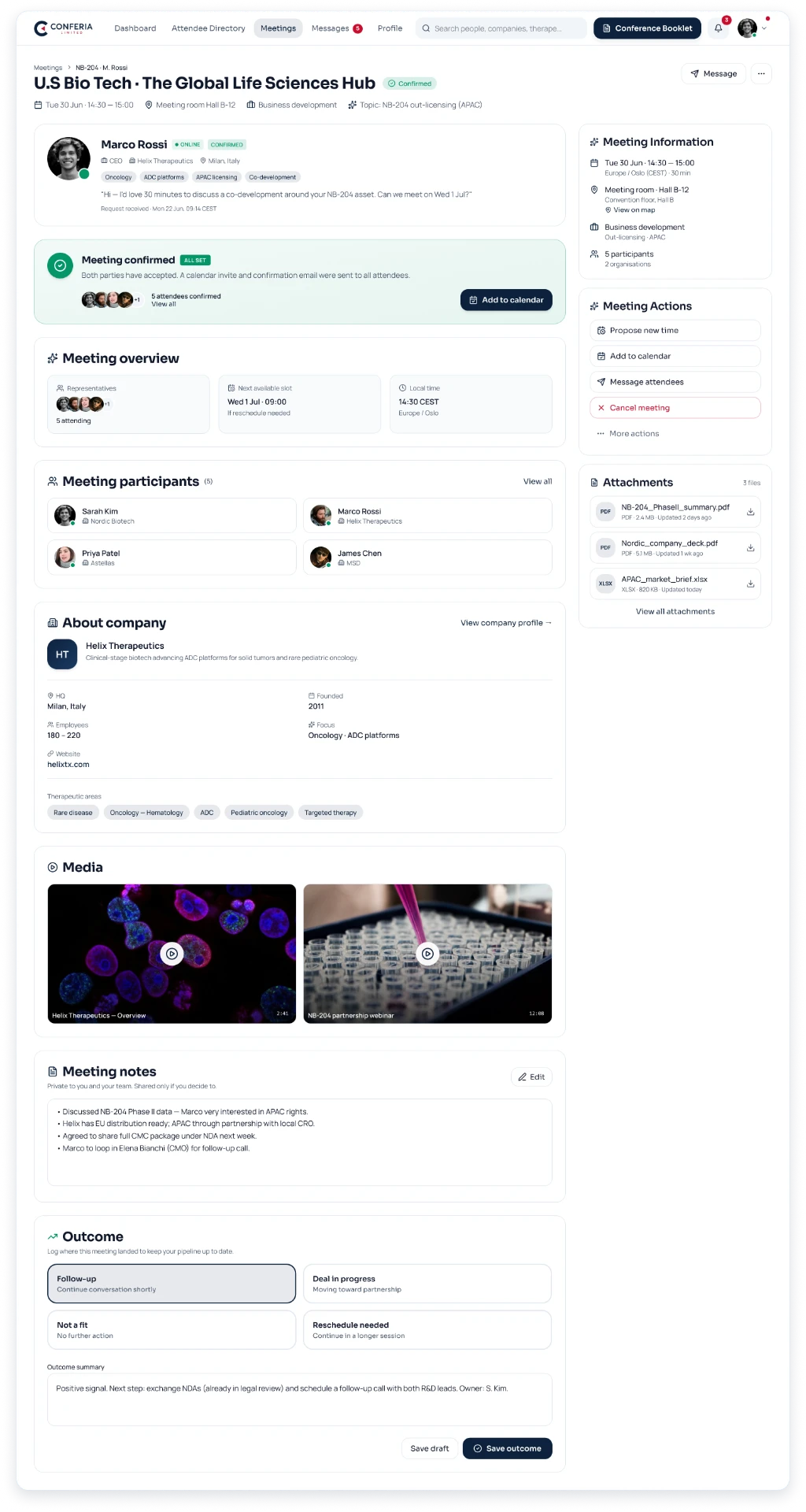
A calm, professional light interface with a deep navy primary, green confirmation states and red decline states. Dense but scannable cards, tabular data alignment, badge tokens for therapeutic areas and status, and a component library shared across web and mobile.
Building a Scalable Design System
A shared component library across CRM, partnering platform and mobile apps so the same record reads identically everywhere.
Colour
- Deep navy primary
- Green confirmation states
- Red decline states
- Neutral data surfaces
Typography
- Tabular data alignment
- Dense but scannable body
- Badge label scale
Components
- Participant card
- Meeting request row
- Availability slot picker
- Status badges
- Agenda item
- Data table
Patterns
- Pipeline stage layout
- Split sign-in
- Inbox tabs
- Cross-platform parity
Platform Modules
CRM & Event Management
- Lead database, NCL and interested-lead workflow
- Duplicate lead detection before record creation
- Registration, invoicing and payment tracking
- Speakers, moderators, panelists, sponsors, delegates and investors
- Internal agenda builder, published only once approved
- Follow-up, reminder and status automation
Online Partnering Platform
- Attendee directory with advanced search and favourites
- Intelligent matchmaking by company, service and therapeutic area
- Availability, requests, rescheduling and conflict detection
- Automatic table allocation and mutually-available slot suggestions
- One-to-one messaging and real-time notifications
- Live event agenda, e-booklet, badges and social post generator
Websites & CMS
- Four responsive conference websites
- Pay Now and Pay Later registration workflows
- Payment gateway with discount and coupon management
- Speaker, sponsor, partner, JT and banner management
- Real-time CRM ↔ website synchronisation
- Web inquiry capture and assignment
Mobile Applications
- Native Android and iOS partnering apps
- Participant search and profile management
- Meeting management and messaging on the go
- Push notifications for requests, confirmations and updates
- Google, Apple and Outlook calendar integration
- Reminder 3 minutes before every confirmed meeting
Security & Reporting
- SSL encryption and secure authentication
- Role-based permissions and access restrictions
- GDPR compliance and data protection controls
- Registration, lead, conversion and revenue reports
- Engagement, networking and partnering success metrics
- Excel, CSV and PDF export everywhere
Key Design Decisions
01One Participant Record
CRM, partnering and mobile read the same profile object, so nothing contradicts itself.
02Mutually Available Slots Only
Requests offer only slots both sides can attend, which removes double booking entirely.
03Internal-first Agenda
The agenda is built privately and published to websites only after approval.
Outcome
A single ecosystem replacing four disconnected tools: automated invoicing and reminders, automatic meeting table allocation without double booking, real-time live agenda, badge and e-booklet generation, and centralised CMS publishing to all four conference websites.
What I Learned
Working across five connected products taught me the value of designing shared objects rather than screens. Once the participant record was consistent, every surface got simpler.
Interactive Prototype
Interactive prototypes covered sign-in, directory search and filtering, sending and accepting a meeting request with mutually-available slots, the confirmed meeting detail with notes and outcome logging, and the full mobile app journey.
Explore the final experienceView Prototype